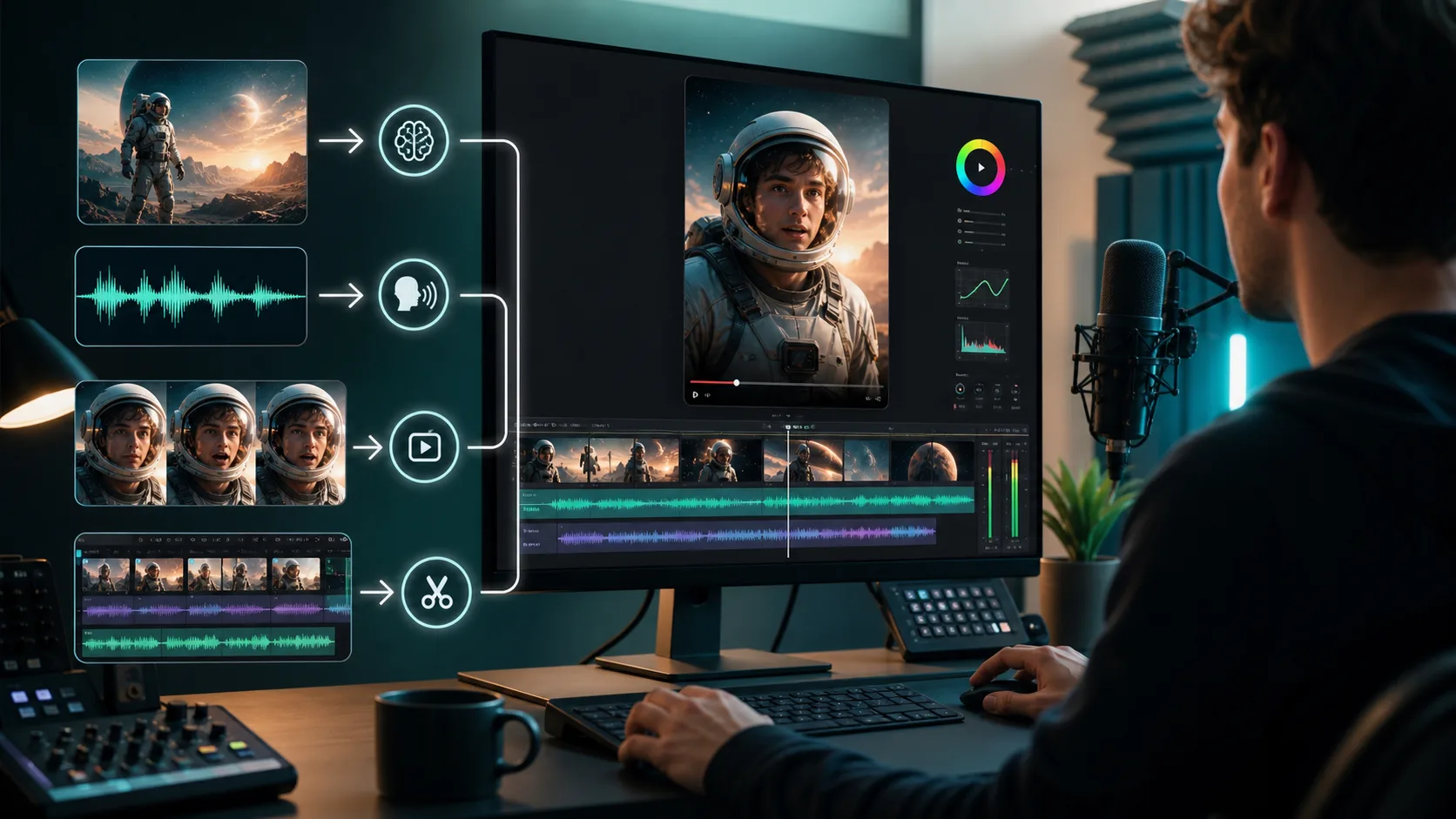
The Workflow in One Line
For this YouTube Short, my production flow was:
OmniVoice clones my voice → ChatGPT Image 2 generates the image → LTX 2.3 creates the audio-to-video lipsync → CapCut handles post-production.
I do not think of this as a one-click video generator. A better way to describe it is that I am directing a small AI production team, where each tool has one clear job.
First, I Decide the Feeling of the Short
Before opening the tools, I decide what the short should feel like.
Shorts move fast, so I do not begin with a complicated story. I usually ask three simple questions:
- What should people see in the first second?
- Should the voice feel like I am speaking directly, or more like narration?
- Should the image feel realistic, dramatic or clearly AI-stylized?
This matters because every later decision depends on it. If the voice, image, lipsync and edit are all aiming at different moods, the final video may look impressive but still feel disconnected.
Step 1: Clone My Voice with OmniVoice
I start with OmniVoice.
For me, voice is the emotional foundation of the short. The visuals can be powerful, but if the voice does not sound like me or the delivery feels unnatural, the whole piece becomes less believable.
OmniVoice has one clear job in this workflow: clone my voice so the narration feels closer to my own expression.
I pay attention to a few details:
- Keep sentences short so lipsync is easier later.
- Make the delivery feel conversational, not like a hard-sell advertisement.
- Leave clear pauses between lines so the edit has room to breathe.
The goal is not only whether the cloned voice sounds similar. The real question is whether the voice can carry the rhythm of the short.
Step 2: Generate the Image with ChatGPT Image 2
Once the voice direction is clear, I use ChatGPT Image 2 to create the main visual.
This is not just about making a beautiful picture. The image needs to work as a starting frame for LTX 2.3. That means the subject, composition and visual direction must be clear enough to animate.
In the prompt, I usually define:
- The character's expression and pose
- The mood of the scene
- The camera distance, such as close-up, medium shot or half-body framing
- The lighting and visual style
- A simple scene without too many competing details
If the image is too complex, the video generation stage can become less stable. For AI Shorts, a clean and direct image that can move well is often more useful than a visually overloaded image.
Step 3: Use LTX 2.3 for Audio to Video and Lipsync
Then I move into the main video generation stage with LTX 2.3.
I bring in the voice and the image, then use LTX 2.3 to generate a video from the audio and create the lipsync.
This is where I check three things carefully:
- Does the mouth movement match the voice?
- Do the expressions feel natural?
- Does the motion preserve the original subject and composition?
Audio to video is exciting because it makes a static image feel alive. But I always inspect the mouth, teeth, eyes and edges of the face. If any of those areas look wrong, viewers notice quickly.
So I usually do not stop after one generation. I test a few versions and choose the one with the best balance of lipsync, expression and stability.
Step 4: Finish the Short in CapCut
After LTX 2.3, I bring the generated video into CapCut.
CapCut is not just decoration in this workflow. It is where the generated output becomes an actual short-form video.
Inside CapCut, I usually handle:
- Removing dead pauses
- Tightening the opening rhythm
- Adding subtitles
- Checking volume and any background audio
- Cropping and framing for vertical Shorts viewing
- Doing the final preview before publishing
Many AI videos feel like they are almost there. The problem is not always the model. Sometimes the missing piece is editing judgment. Short-form video is especially unforgiving. If the rhythm is slow, the captions are messy or the audio level feels uncomfortable, people scroll away.
Why I Like This Four-Part Workflow
The advantage of this process is that each stage can be fixed separately.
If the voice feels wrong, I return to OmniVoice.
If the image is weak, I regenerate it with ChatGPT Image 2.
If the lipsync is unstable, I test another LTX 2.3 output.
If the short does not flow, I refine the edit in CapCut.
This separated workflow feels more stable than putting all expectations into one tool. It also makes me feel more like the director of an AI production process instead of someone waiting for a random generation to work.
What I Learned from the Test
After testing this workflow, my main takeaway is simple: AI Shorts are not only about whether a tool can generate video. The real quality comes from clear division of labor.
OmniVoice helps me keep my own voice.
ChatGPT Image 2 gives me a controllable visual starting point.
LTX 2.3 connects voice and image into a speaking video.
CapCut makes the final piece suitable for publishing.
If you want to make similar AI Shorts, I would not start with a complex story. Start with a short, clear and controllable version. Get the voice, image, lipsync and edit working first. Once the workflow is stable, then increase the creative complexity.
FAQ
Why not use one AI video tool for the whole process?
Because each stage has a different quality standard. Voice, image, lipsync and post-production all need separate judgment. Splitting the workflow makes it easier to control quality and redo only the part that needs fixing.
Is CapCut still important in an AI video workflow?
Yes. AI can generate assets, but the final short still depends on rhythm, subtitles, cuts, volume, framing and final review. CapCut is where I turn generated material into something ready to publish.