I've been watching AI web design tools come and go for years — from Wix ADI to Figma AI to every "vibe coding" buzzword of 2025. Then Kimi K3 dropped in July 2026, and something different happened: people weren't just posting mockups. They were posting playable 3D websites.
Here's what I found after spending a week with it, comparing it against Claude Opus and Codex for actual web development work.
What Is Kimi K3?
Kimi K3 is Moonshot AI's latest flagship model. Let me get past the spec sheet so you know what matters:
- 2.8 trillion parameters — first open model in the 3T class
- Native multimodal — text, images, and video all live in the same context window, not bolted on as separate adapters
- 1 million token context — you can dump an entire codebase plus hundreds of screenshots and it stays in memory
- Open weights — available on Hugging Face since July 27, 2026
The key architectural moves are Kimi Delta Attention (KDA) and Attention Residuals (AttnRes). In plain English: KDA lets the model reason over much longer sequences without the quadratic attention cost blowing up, and AttnRes selectively retrieves what it learned deeper in the network rather than blindly stacking every layer's output on top of each other.
The practical result? K3 can look at a complex screenshot, understand the layout and interactions, then generate working code to reproduce it. Not HTML templates. Actual functional frontends.
3D Websites From One Prompt
This is where things get interesting.
Kimi's website builder (kimi.com/websites) takes a text description, image upload, or even a screen recording and turns it into a full multi-page site with professional aesthetics. Scroll-triggered animations, interactive hero sections, responsive layouts — all generated from your description.
But K3 goes further than the basic website builder. Through Kimi Code (its terminal-based coding agent), K3 has demonstrated:
- Playable 3D platformers built from a single text prompt
- Cinematic scroll-driven landing pages where scrolling moves you through a continuous video journey
- Interactive data dashboards with drill-down charts and animated diagrams
- Vision-in-the-loop iteration — K3 generates code, renders a screenshot, looks at the output, identifies what's wrong, and fixes it in the next cycle
The last point is the differentiator. Most AI coding tools operate purely in text mode. K3's native vision means it can see what it produced, debug visually, and refine iteratively without you describing every pixel.
I tried building a simple portfolio page. Prompt: "A dark-themed developer portfolio with a 3D floating code editor hero section, scroll-triggered project cards, and a contact form." Result took about 4 minutes end-to-end. Not perfect — some spacing needed tweaking — but structurally sound React code with Tailwind classes.
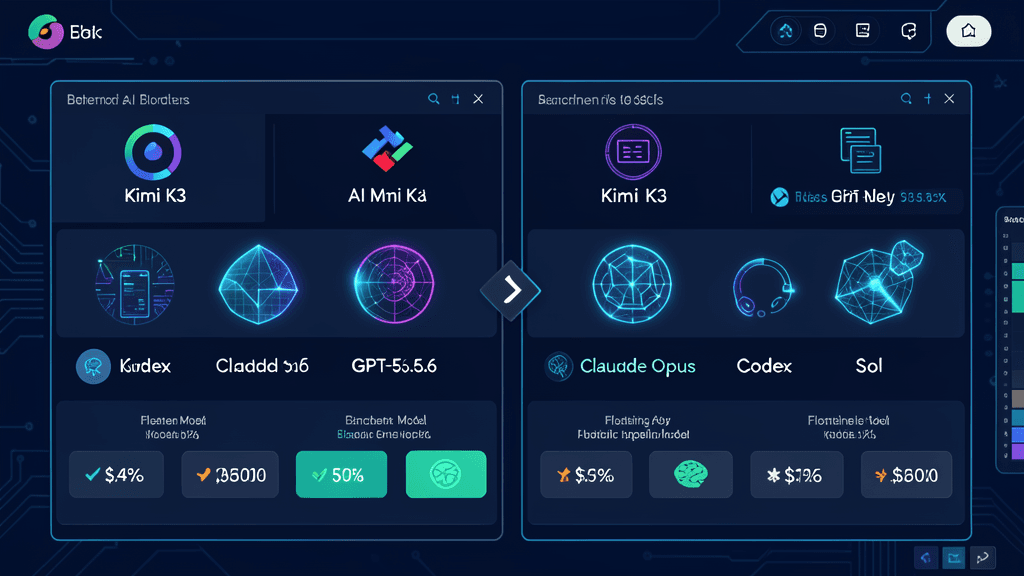
How It Compares to Claude Code and Codex
I run all three regularly. Here's my honest take after real-world use:
| Capability | Kimi K3 | Claude Opus 4.8 | Codex (GPT-5.6 Sol) |
|---|---|---|---|
| Frontend generation from prompt | Excellent | Very good | Good |
| Visual debugging (screenshot → fix) | Native strength | MCP-based plugin | API-based plugin |
| Long-context repo navigation | 1M tokens | 200K tokens | 1M tokens |
| Agent swarm / parallel tasks | Up to 100 sub-agents (K2.5 era) | Limited per-session | Built-in multi-file refactor |
| 3D/spatial reasoning | Surprisingly strong | Solid | Decent |
| Cost (free tier) | Generous | None | None |
Kimi's real advantage for web design is cost + speed. Claude Opus still wins on the precision of generated UI (smaller spacing errors, better component architecture). But if you're iterating fast on a concept or need to go from zero to deployable site in under 10 minutes, Kimi is hard to beat.
The 3D Website Trend: Why Now
Three things converged in 2025–2026 to make this possible:
-
Multimodal models got good enough. Before K2.5 era, AI models were either text-only or had separate vision encoders that didn't share context well. K3's native multimodal approach means understanding a 3D scene and writing WebGL/Three.js code happens in a single forward pass.
-
AI video + AI code = immersive experiences. Tools like Higsfield Cinematic Studio combined with Kimi K3 let solo builders create cinematic scroll-driven websites that used to require a video team plus a frontend engineer. The MindStudio tutorial shows you can build one for around $1 in credits.
-
WebGPU is mainstream. Browser-based 3D rendering finally works reliably across devices. AI-generated Three.js and WebGL code that would have crashed on mobile two years ago now runs smooth.
The industry is moving toward immersive web — think Apple's product pages with 3D product fly-throughs, or automotive brand sites where you can walk around a car in the browser. Kimi K3 democratizes that production pipeline.
What I'd Do Differently Next Time
After building several sites with K3, here's what I've learned:
-
Be specific about the interaction model. "Responsive" isn't enough. Say "three-column grid that collapses to single column below 768px with staggered fade-in" and K3 delivers closer to what you want.
-
Use screenshots as input, not just text prompts. K3 understands visual references far better than verbal descriptions. Upload a reference layout or even a competitor's page, and tell it what to keep and what to change.
-
Iterate visually, not just in code. The vision-in-the-loop workflow is K3's killer feature. Take a screenshot of the output, paste it back, and say "fix the hero section padding and make the CTA button pop more." It'll adjust based on what it sees.
-
Don't expect pixel-perfect first output. K3 is a speed tool, not a replacement for design polish. Get the structure right, then hand off to a designer or tweak manually for final styling.
Should You Care as a Developer?
If you do any frontend work — personal portfolios, landing pages, SaaS MVPs, client demos — yes.
Kimi K3 won't replace skilled engineers who understand component architecture, accessibility, and performance optimization. But for rapid prototyping, for non-developers who want a professional site, or for experienced devs who want to test concepts before committing to an implementation, it's genuinely useful.
The economics have flipped. A scroll-driven cinematic landing page that used to cost $5,000+ in agency fees now costs a few dollars in AI credits and an afternoon of iteration. That's not hype. I've seen it.
And as an open model, K3 is available through the Kimi API, Kimi Code, and directly on Kimi.com. Whether you're in Kuala Lumpur building a local business site or San Francisco shipping a startup MVP, the barrier to entry has never been lower.
The question isn't whether AI will change web design. Kimi K3 already did. The question is whether you're going to experiment with it before your competitors do.