The One-Sentence Summary
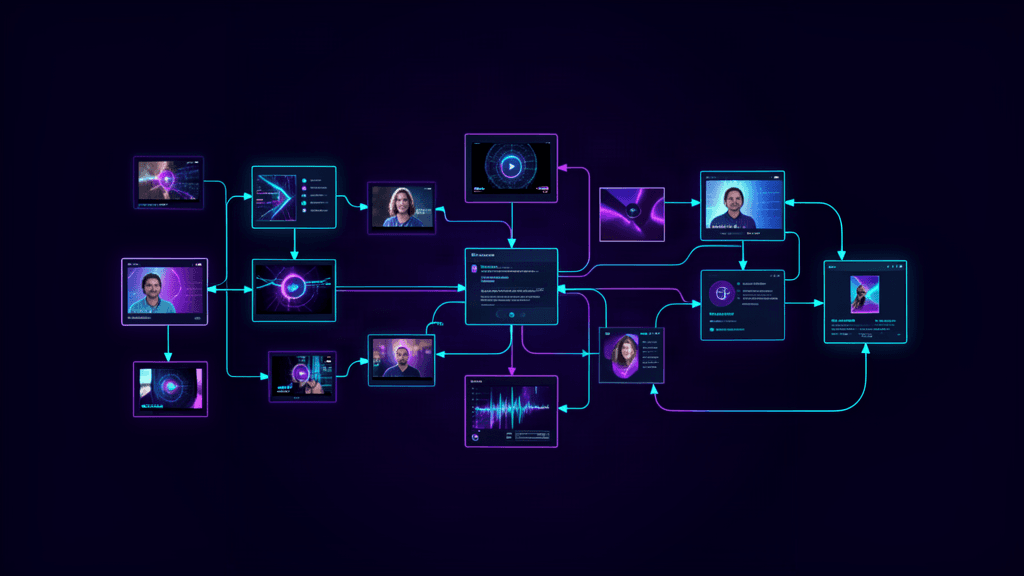
MiniMax H3 is a general-purpose multimodal video model — text, images, video, and audio all flow into one context window and come out as 5–15 seconds of 2K footage with stereo audio, and it is remarkably good at following complex, multi-reference prompts that would break simpler models.
Why MiniMax H3 Changes the Game
Most video generation models are single-purpose: text-to-video, or image-to-video, or video-to-video as separate pipelines. MiniMax H3 is architecturally different. It is one model that reads everything — a character's face from a photo, camera language from a clip, a voice from a recording — and resolves all of it into one coherent shot.
On fal.ai it runs across three endpoints:
| Endpoint | Best For | Inputs | |---|---|---| | Text to Video | Prompt-only generation | Text only | | First & Last Frame | Known start or end frame | One or two images | | Reference to Video | Everything else: identity, motion, style, audio | Up to 12 files (images, video, audio) |
The rule is simple: no media → Text to Video. An image that is literally the first or last frame → First & Last Frame. Anything treated as a reference (face to preserve, clip to match, track to sing along to) → Reference to Video.
Core Prompting Patterns
Pattern 1: Give Every Reference an Explicit Job
The biggest mistake developers make with Reference to Video is dumping references without instruction. Each reference needs a clear role. Compare:
Weak: Use Image 1 as reference.
Strong: Use Image 1 for the subject's identity (platinum-blonde hair, narrow black vintage sunglasses, glossy black patent-leather trench coat); use Image 2 for the background texture and color palette.
From the Vintage Binocular Brand Film example: the prompt explicitly assigns Image 1–4 as sequential keyframes, with distinct behavioral instructions for each — fabric movement in one, natural walking in another, fashion attitude in the closing frame. The model needs this specificity to prioritize correctly.
Pattern 2: Write Timed Shot Lists
MiniMax H3 supports prompts up to 7,000 characters. Use that space. Write the prompt as a sequence of shots with timing cues:
Shot 1 — Ultra-wide establishing shot. A colossal circular
cosmic gateway nearly fills the frame. The protagonist appears
only as a tiny figure from behind, positioned low and slightly
right of center. Wet ground reflects the light; the center of
the gateway is pitch black. Slowly push the camera forward.
→ Hard cut.

Shot 2 — Tight on the protagonist's face. [instructions]
→ Dissolve.
The arrow notation (→) for transitions is consistent across examples in the fal guide. Use it.
Pattern 3: Direct the Sound as Deliberately as the Picture
Native stereo audio is included in every generation. Tell the model what to produce:
Audio: a deep sub-bass pulse, distant metallic resonance,
and one restrained hit as the title locks into focus.
For Reference to Video, input an audio clip alongside images and video. The model will match timing and mood to the reference audio.
Pattern 4: Lock Identity, Then Animate
For character consistency across a shot, the prompt should first establish the identity reference, then give that character an action. From the Desert Fashion Campaign example:
Use Image 1 for the overall mood, location, and film texture; Image 2 for the talent; Image 3 for the bag; and Image 4 for the closing brand mark.
The model preserves the talent's appearance from Image 2 throughout the performance. The action — walking to the trunk, opening it, sharing a quiet beat — then plays across that identity.
Pattern 5: Specify Visual Language Precisely
Abstract terms like "cinematic" mean different things to different models. MiniMax H3 responds to concrete descriptors:
| Weak | Strong | |---|---| | Cinematic look | Wes Anderson-inspired 35mm film look with fine grain, soft highlight halation, restrained color | | Fast cuts | Sharp hard cuts, white-hot flashes, split-second black frames, violent jump-to-warp impact | | Elegant text | Wide-tracked cinematic typography — not pure white — with restrained material texture, subtle edge glow |
Three Production Use Cases
Brand Films & Cinematic Content
MiniMax H3 renders text, subtitles, brand assets, and UI — which puts real commercial production within reach of a prompt. The Vintage Binocular Brand Film example is instructive:
The prompt locks the binocular viewfinder mask (identical position, scale, feathered black vignette, edge softness) absolutely throughout the shot — only the content inside the mask moves. Red typography fades in with the focus rack. The visual language is voyeuristic, Wes Anderson-inspired.
This level of specificity — the vignette mask, the fade timing, the grain — is what separates a vague "cool film" result from a usable brand asset.
E-Commerce & Product Video
MiniMax H3 handles product close-ups and interface rendering better than most models. For e-commerce, the Reference to Video endpoint preserves product identity while animating it into lifestyle contexts. The key is a clear product reference image and explicit instructions for how it should interact with the environment.
Style Transfer & Visual Effects
Input a reference image for style (texture, mood, color grade) alongside a subject reference, and the model will transfer the visual language to new footage. The Cyber-Grunge Fashion Film example demonstrates this: Image 1 for texture and mood, Image 2 for the subject's appearance — the model keeps the platinum-blonde hair, narrow black vintage sunglasses, and patent-leather trench coat while placing the character into a new environment with orange firelight.
Output Specs
- Duration: 5 to 15 seconds
- Frame rate: 24 FPS
- Resolution: 2K (1440px on the short edge for 16:9 to 9:16 ratios; ~3.7 megapixels on wider formats like 2976×1248 at 21:9)
- Audio: Native stereo, generated or reference-cloned
- Prompt length: Up to 7,000 characters
- Reference files: Up to 12 (Reference to Video endpoint)
Quick Reference: Endpoint Selection
No media in request?
  → Text to Video

Have a literal first or last frame image?
  → First & Last Frame

Treating anything as a reference (face, clip, audio)?
  → Reference to Video
Resources
- MiniMax H3 on fal.ai — Text to Video endpoint
- First & Last Frame endpoint
- Reference to Video endpoint
- MiniMax H3 Prompting Guide + 44 Video Examples — Source guide with full example prompts